

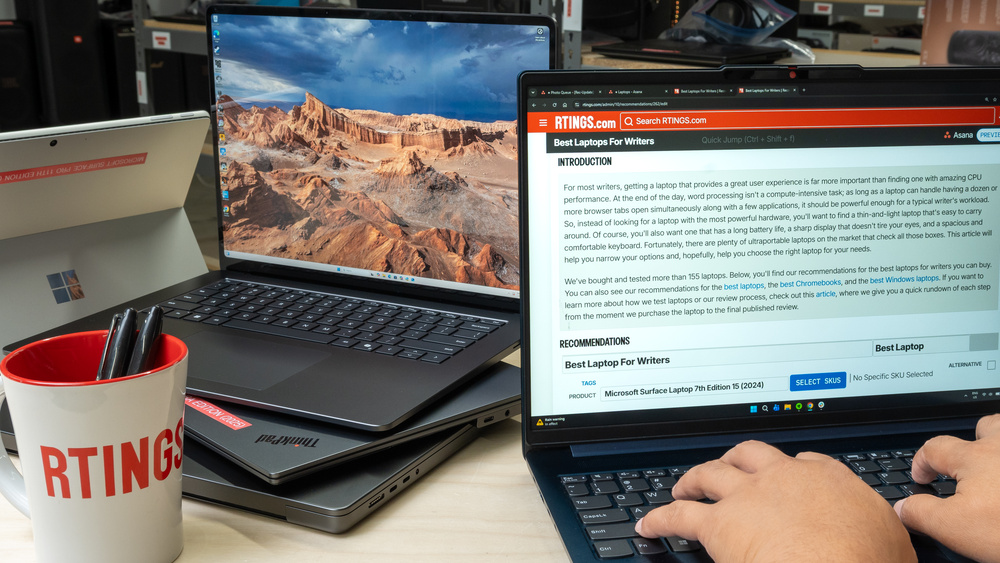
The best laptop for writing is not necessarily the most powerful or expensive one. If you spend hours working on novels, articles, research papers, or client assignments, keyboard comfort, battery life, screen quality, portability, and reliability matter far more than gaming performance.
Choosing a laptop as a writer can be surprisingly difficult. Manufacturers promote processor speeds, artificial intelligence features, graphics performance, and display technology. Yet most writing work happens inside a word processor, browser, research app, or note-taking tool.
That means your daily experience depends on a different set of questions. Does the keyboard feel comfortable after two hours? Can you work away from an outlet? Is the screen large enough to keep your manuscript and research visible? Can you carry the laptop without feeling that you packed a small desktop computer?
This guide explains what really matters when buying a laptop for long writing sessions, compares suitable laptop families for different budgets, and helps you choose a machine for your particular writing workflow.
What Makes a Laptop Good for Writers?
1. Keyboard comfort comes first
For someone writing thousands of words every week, the keyboard is one of the most important parts of the computer. A poor layout, cramped keys, inconsistent feedback, or an awkward typing position can make long sessions frustrating.
Look for a keyboard with clearly separated keys, a comfortable layout, consistent feedback, and reliable key registration. Backlighting can be helpful when writing in dim rooms or during evening sessions.
Key travel is worth considering, but there is no single measurement that guarantees a comfortable keyboard. The spacing, shape of the keys, typing feel, and your own preferences matter just as much.
- Test the keyboard by typing several paragraphs before buying.
- Check the location of Enter, Backspace, Shift, and arrow keys.
- Make sure the keyboard does not flex excessively during normal typing.
- Consider whether you need a numeric keypad or prefer more space for the main keys.
- Try the trackpad and palm-rest area to make sure they do not interfere with your hands.
2. Choose a screen that makes reading comfortable
Writers spend as much time reading as typing. You might switch between a draft, research papers, email, browser tabs, and a style guide throughout the day. A clear display with good contrast can make this work more pleasant.
A 13- or 14-inch screen is often a good balance between portability and workspace. A 15- or 16-inch model offers more room for side-by-side documents, but it may be heavier and less convenient to carry.
- Resolution: Full HD or better is a sensible starting point for a modern laptop. Higher resolution can make text look sharper.
- Brightness: A brighter screen helps in well-lit rooms, though reflections also affect visibility.
- Matte versus glossy: Matte displays can reduce reflections, while glossy panels may provide more vivid images but reflect nearby light.
- Screen size: Consider whether you prefer a compact laptop or more room for research and drafting.
- Scaling: Check that text remains comfortable to read at your preferred display settings.
No display technology is automatically best for everyone. Some people prefer OLED for contrast, while others find certain screens uncomfortable because of flicker or reflections. If you are sensitive to screen flicker, test the specific panel configuration before purchasing.
3. Battery life should match your real workday
Long battery life lets you write in libraries, cafés, on trains, or in rooms without convenient outlets. Manufacturer battery claims are useful for comparison, but real-world results depend on screen brightness, applications, Wi-Fi use, video calls, battery age, and other factors.
Look for independent tests that reflect light productivity workloads. If you regularly work away from power, aim for a laptop that can comfortably cover your typical session with some reserve rather than relying on a headline maximum.
4. Weight matters if you travel with your laptop
A laptop that stays on your desk can be larger and heavier. If you carry it every day, weight becomes a recurring cost in comfort and convenience.
- Under 1.3 kg: Excellent for frequent travel, although models and configurations vary.
- About 1.3–1.6 kg: A practical balance for many writers.
- Above 1.6 kg: Can still be a good choice for a larger display or a primarily stationary setup.
Remember to include the charger and accessories when considering portability. A compact USB-C charger can make a meaningful difference if the laptop supports suitable USB-C charging.
5. You probably do not need a high-end processor
Writing in Microsoft Word, Google Docs, Scrivener, or a similar app is not particularly demanding. A modern entry-level or midrange processor is usually enough for drafting, research, email, and video calls.
More processing power becomes useful if your work includes large datasets, software development, image editing, video production, or running demanding applications alongside writing tools.
6. RAM and storage affect everyday convenience
RAM helps your laptop keep multiple applications and browser tabs open smoothly. Storage determines how much room you have for manuscripts, downloaded research, PDFs, photographs, and other files.
- 8GB RAM: Can work for basic writing and light browser use, especially on a low-cost device, but may become limiting with heavier multitasking.
- 16GB RAM: A sensible target for most writers who keep research tabs, documents, and other apps open together.
- 32GB RAM: Worth considering for specialized professional workloads, large projects, or demanding multitasking—not a necessity for ordinary writing.
- 256GB SSD: A workable starting point for documents and cloud-based workflows.
- 512GB SSD: A more comfortable option if you store many PDFs, offline files, images, or several large projects.
Check whether memory and storage can be upgraded later. Many thin laptops have components that are soldered or otherwise difficult to replace, so choosing the right configuration at purchase can matter.
Best Laptops for Writers: Which Models Should You Consider?
The following are laptop families worth comparing rather than one-size-fits-all winners. Model generations, display panels, RAM, storage, keyboard layouts, and prices vary by configuration and country. Always verify the exact version available from your retailer.
1. Apple MacBook Air
The MacBook Air is a strong candidate for writers who want a slim laptop, a responsive keyboard, a high-quality display, and quiet operation. Its combination of portability and performance makes it suitable for working at home, in a library, or while travelling.
Why writers may like it:
- Lightweight design suitable for daily travel.
- Comfortable keyboard for extended typing.
- Strong everyday performance for writing and research.
- Fanless operation on MacBook Air generations designed without a fan.
- Works with writing software such as Scrivener, Microsoft Word, and many browser-based tools.
What to consider: MacBooks typically offer limited upgrade options after purchase. Select enough memory and storage for your expected workload. Port selection is also more limited than on some Windows laptops, so an adapter or dock may be useful.
Best configuration for most writers: Prioritize sufficient memory, an SSD that fits your document and research archive, and the screen size you find most comfortable.
2. Microsoft Surface Laptop
The Surface Laptop line combines a portable design with a keyboard and display suited to productivity. It is worth considering if your writing workflow relies on Windows applications, Microsoft Word, Excel, OneNote, or a collection of business tools.
Why writers may like it:
- A screen size range that can suit different working styles.
- A keyboard designed for everyday productivity.
- A premium, portable form factor on many configurations.
- Integration with Windows and Microsoft productivity software.
- Good potential for a single-device writing and research setup.
What to consider: Some newer Windows laptops use ARM-based processors. Most everyday productivity needs may be covered, but check compatibility for specialist writing software, older utilities, printers, and other peripherals before purchasing a specific configuration.
3. Lenovo ThinkPad
ThinkPad models are popular in productivity-focused environments. Depending on the model, they can offer a practical keyboard, useful ports, business features, and a design focused on everyday work rather than gaming.
Why writers may like them:
- Many models prioritize productivity and comfortable typing.
- A broad range of screen sizes and configurations.
- Useful port selection on some models.
- Business-oriented security and support features on selected configurations.
- Windows compatibility for many professional applications.
What to consider: Keyboard feel, display quality, weight, and battery life differ significantly across ThinkPad families. Compare the specific model rather than assuming that every ThinkPad has the same strengths.
4. ASUS Zenbook
Many Zenbook models focus on thin designs, high-resolution displays, and a balance of portability and performance. They are worth comparing if you want a Windows laptop that feels easy to carry but can still handle a busy writing and research workflow.
Why writers may like them:
- Portable designs in several screen sizes.
- Display options that can make text and media look sharp.
- Enough performance for common writing applications on suitable configurations.
- Some models offer a broad selection of connectivity options.
What to consider: Some display configurations use OLED panels, which may not suit everyone. Check keyboard layout, screen reflections, flicker behavior if relevant, battery test results, and the ports available on the exact model.
5. Acer Aspire
Acer Aspire laptops are worth investigating when the budget is more important than a premium finish. A well-configured model can handle word processing, web research, email, online publishing dashboards, and ordinary multitasking without paying for performance you will rarely use.
Why writers may like them:
- Options across a range of price points.
- Configurations suitable for everyday productivity.
- Potentially useful port selection.
- A practical choice for first-time laptop buyers.
What to consider: Budget models can compromise on screen brightness, battery capacity, build materials, webcam quality, and memory. Compare the full specifications and avoid choosing solely on processor name or advertised price.
6. Chromebook Plus
A Chromebook can be an affordable writing machine if your work happens mostly in a browser. Google Docs, web-based research, email, and many content management systems can be enough for a straightforward writing workflow.
Why writers may like it:
- Simple, streamlined operating system.
- Many models are lightweight and affordable.
- Suitable for browser-based writing and research.
- Offline document editing is possible in supported apps when configured in advance.
What to consider: ChromeOS does not run every Windows or macOS desktop application. If you rely on a particular version of Scrivener, specialist publishing software, desktop citation tools, or a particular Word workflow, verify compatibility before buying.
Compare Laptop Types for Writers
| Laptop Type | Best Use | Main Advantages | Potential Trade-Off |
|---|---|---|---|
| MacBook Air | Long-form writing and travel | Portable design, quiet operation, strong everyday performance | Limited upgrades and fewer built-in ports |
| Microsoft Surface Laptop | Windows productivity | Portable design and Microsoft ecosystem | Some ARM configurations may require compatibility checks |
| Lenovo ThinkPad | Professional writing and research | Productivity focus and model variety | Experience differs across model families |
| ASUS Zenbook | Portable Windows workflow | Compact designs and varied display options | Panel, battery, and keyboard vary by configuration |
| Acer Aspire | Budget writing | Value-oriented configurations | Screen and build quality may be more basic |
| Chromebook Plus | Google Docs and browser apps | Simple system and often affordable pricing | Limited compatibility with desktop software |
Find the Best Laptop for Your Writing Style
Answer a few questions to get a practical starting point. This recommendation is based on your workflow, not a live inventory or price comparison.
Which Laptop Type Fits You?
How Much Should You Spend on a Writing Laptop?
You do not need to buy a premium laptop just because you write professionally. A basic writing workflow is relatively undemanding, and a well-chosen midrange or budget machine can handle years of ordinary document work.
Under $500
Suitable for basic writing, schoolwork, Google Docs, and web-based tools. Look for a good keyboard, an SSD, a readable display, and enough memory for your browser habits.
Best fit: Chromebook Plus or a carefully selected budget Windows laptop.
$500–$1,000
This range can offer a good balance of portability, performance, screen quality, and battery life. Compare current-generation midrange laptops rather than paying extra for features you will not use.
Best fit: A value-oriented Windows laptop or a discounted previous-generation premium model.
Over $1,000
Premium models may offer a better build, display, trackpad, speakers, or portability. These improvements can be worthwhile if you spend most of your working day on the machine.
Best fit: MacBook Air, Surface Laptop, ThinkPad, or Zenbook configurations that match your workflow.
Value-focused alternative
A refurbished business laptop can provide a comfortable keyboard and solid everyday performance for less money. Check battery health, return terms, keyboard condition, and the remaining software support period.
Best fit: Budget-conscious writers who can inspect the exact device and seller policy.
These are broad planning ranges, not live price quotes. Prices vary by country, currency, configuration, taxes, and promotions. If you are buying in Peru or another market outside the United States, compare local warranty coverage and keyboard layouts as well as the advertised price.
Best Laptop Features for Specific Writing Jobs
For novelists and book authors
Novelists benefit from a comfortable keyboard, a reliable battery, and enough screen space to manage chapters, notes, and outlines. If you use software such as Scrivener, confirm compatibility with your chosen operating system. A distraction-free writing mode can also help you concentrate on the manuscript.
For freelance and SEO writers
Freelancers often keep several browser tabs, documents, email, research tools, and a content management system open simultaneously. Prioritize 16GB of RAM where possible, a comfortable keyboard, and a screen large enough to read research without constantly switching windows.
For students and academic researchers
Students need a laptop that handles document editing, PDFs, reference managers, video calls, and institutional software. Battery life and portability matter if you move between classes and libraries. If your university requires a particular application, check its operating-system requirements before choosing a laptop.
For journalists and interview-based writers
Journalists may need a reliable webcam, good microphones, fast file transfers, and sufficient storage for audio recordings and interview documents. If you record interviews, plan for backups and protect confidential source material.
For travel writers
Travel writers should place extra emphasis on weight, battery life, charging convenience, and durability. A compact charger, a protective sleeve, and a dependable backup system can matter just as much as processor speed.
Accessories That Make Long Writing Sessions Easier
A good laptop is only one part of a comfortable writing setup. A few inexpensive accessories can improve your daily workflow.
- External keyboard: Useful if you write at a desk and prefer a different key layout or typing feel.
- External monitor: Helps when comparing a manuscript with research documents or editing long articles.
- Laptop stand: Raises the screen to a more comfortable viewing height. Use a separate keyboard if this makes the built-in keyboard too high.
- Comfortable mouse: Can be useful for editing, navigating large documents, and working with publishing dashboards.
- USB-C charger or power bank: Convenient for travel when compatible with the laptop’s charging requirements.
- Backup drive or secure cloud backup: Helps protect manuscripts and research against loss or device failure.
- Writing software: A dedicated editor, note-taking app, or reference manager can improve your workflow without requiring a more powerful computer.
How to Avoid Eye Strain and Fatigue While Writing
A high-quality screen helps, but comfort also depends on how you use your laptop. Long sessions can become tiring when your screen is poorly positioned, text is too small, or you remain in the same posture for hours.
- Increase text size until you can read comfortably without leaning forward.
- Adjust screen brightness to suit the surrounding light.
- Position the display to reduce reflections from windows and overhead lights.
- Take regular short breaks and look away from the screen periodically.
- Keep your wrists relaxed and avoid reaching awkwardly for the keyboard.
- Use an external monitor and keyboard when your laptop setup does not suit your posture.
There is no single screen setting that prevents fatigue for everyone. If a particular display causes discomfort, test the brightness, scaling, refresh settings, and lighting, or consider a different panel before committing to it.
Pre-Purchase Checklist: Test Before You Buy
Use this checklist when comparing laptops in a store or evaluating a device during its return window.
- Type several paragraphs and check whether the keyboard feels comfortable.
- Confirm that the screen is clear and readable at your preferred text size.
- Check the actual weight, including the charger you plan to carry.
- Review independent battery tests rather than relying only on manufacturer claims.
- Confirm the RAM and SSD capacity in the exact configuration.
- Check whether memory or storage can be upgraded later.
- Verify compatibility with your writing, research, and publishing software.
- Inspect the ports and confirm that you can connect your essential accessories.
- Check the webcam, microphone, speakers, and Wi-Fi if you work remotely.
- Review warranty coverage, return conditions, and local repair options.
- Confirm that the keyboard layout matches your preferred language and typing style.
- Plan how you will back up your manuscripts and research files.
Frequently Asked Questions
What is the best laptop for writers?
There is no single best laptop for everyone. The MacBook Air is a strong option for many macOS users, while the Microsoft Surface Laptop, Lenovo ThinkPad, and ASUS Zenbook are worth comparing for Windows workflows. A Chromebook can be sufficient for writers who primarily use browser-based applications.
Is a MacBook worth it for writers?
A MacBook can be worth the investment if you value its portable design, display, keyboard, quiet operation, and software ecosystem. However, a less expensive Windows laptop can handle everyday writing just as effectively. Compare the complete experience and compatibility with your preferred applications rather than choosing by brand alone.
How much RAM does a writer need?
Eight gigabytes can be enough for basic writing and light web use, but 16GB is a sensible target for writers who keep many tabs, documents, and research applications open. Larger amounts of RAM are mainly useful for more demanding workflows.
Is a Chromebook good for writing a book?
Yes, if your writing software and workflow are compatible with ChromeOS. A Chromebook can work well with Google Docs and other browser-based tools. Before buying one for a book project, verify support for your preferred editor, offline access, backup options, and manuscript export format.
Is a 13-inch laptop too small for writing?
Not necessarily. A 13-inch laptop is portable and can be comfortable for drafting one document at a time. A 14- or 15-inch display may be more convenient if you regularly compare a manuscript with research materials. You can also connect a portable or desktop monitor when working at a desk.
Do writers need a dedicated graphics card?
Most writers do not need a dedicated GPU for word processing, research, email, or web publishing. Integrated graphics are generally sufficient for ordinary writing work. A dedicated graphics card is more relevant if you also edit video, create 3D content, or run other GPU-intensive software.
Should I buy a laptop with an OLED screen?
OLED can provide excellent contrast and rich colors, but it is not automatically the best option for every writer. Check reflections, text clarity, battery performance, and potential flicker sensitivity on the exact panel. An IPS display can also be a good choice for long writing sessions.
What is the best budget laptop for freelance writers?
A value-oriented Acer Aspire or another well-configured budget Windows laptop may be a good choice. A Chromebook Plus can cost less if your workflow is browser-based. Compare the keyboard, screen, memory, storage, battery life, and software compatibility before choosing the cheapest model.
How long should a writing laptop last?
A laptop can remain useful for several years, depending on its build quality, software requirements, battery condition, and how well it is maintained. Keeping backups, installing updates, protecting the device, and replacing a worn battery when practical can help extend its useful life.
Final Verdict: Choose Comfort Over Unnecessary Power
The best laptop for long writing sessions is the one that makes it easy to concentrate on your work. A comfortable keyboard, readable display, dependable battery, sensible weight, and enough memory for your workflow matter more than premium specifications you will rarely use.
- For Mac users: Start by comparing MacBook Air configurations.
- For Windows users: Consider Microsoft Surface Laptop, Lenovo ThinkPad, and ASUS Zenbook models.
- For budget-conscious writers: Compare Acer Aspire models and Chromebooks, depending on software compatibility.
- For academic writers: Prioritize multitasking, PDF handling, reference-manager compatibility, and battery life.
- For frequent travellers: Focus on weight, real-world battery life, charging convenience, and durability.
Before buying, test the keyboard, verify your applications, and compare the exact configurations available in your market. You do not need the most expensive laptop to write a great book or publish excellent articles. You need a reliable tool that supports your work, stays comfortable throughout the day, and lets you focus on the next sentence.