

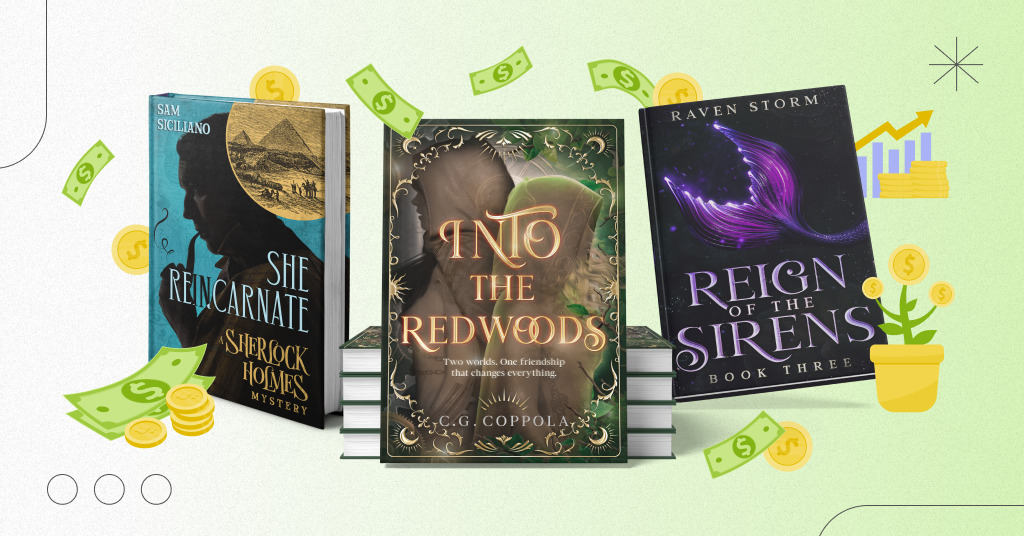
A book cover is one of the first things a potential reader notices. Whether you are publishing a novel, a nonfiction guide, or a children’s book, your cover needs to communicate the right message quickly, look professional at thumbnail size, and match the expectations of your target audience.
You do not necessarily need an expensive designer to create a strong cover. The right approach depends on your genre, budget, design skills, and publishing goals. This guide explains how to design a book cover that attracts attention, compares useful design tools and costs, and highlights mistakes that can hurt sales or delay publication.
1. What Makes a Book Cover Sell?
A successful book cover does more than look attractive. It helps the right reader recognize the genre, understand the book’s tone, and decide whether to explore the listing. The cover works alongside the title, book description, price, reviews, and sample pages to influence a purchase decision.
Clear genre signals
Readers develop expectations from the covers they see in a particular category. A romance novel might use expressive typography and a relationship-focused image. A business book may use a restrained layout and a clear, confident title. A fantasy novel might feature an atmospheric landscape, a symbolic object, or an illustrated character.
These are conventions rather than rigid rules. The goal is to communicate the book’s identity without making it look interchangeable with every competitor.
Readable typography
The title should remain readable when the cover is reduced to the size of a thumbnail on a phone. Decorative fonts can work for a few words, but they often become difficult to read when used for long titles or subtitles.
- Choose one dominant typeface for the title.
- Use contrasting colors between text and background.
- Keep the author name visible without letting it overwhelm the title.
- Use a subtitle only when it adds meaningful information.
- Avoid excessive fonts, outlines, shadows, and decorative effects.
A strong focal point
Readers should be able to identify the main visual element almost immediately. One striking photograph, illustration, object, or typographic treatment is often more effective than several competing images.
Professional visual balance
Spacing, alignment, contrast, and image quality can make a simple design look intentional. Every element should have a reason to be there. If a decorative feature does not strengthen the concept, remove it.
2. Research Your Genre Before Designing
One of the easiest ways to waste time on a book cover is to begin designing before understanding the market. Spend time studying books that appeal to the same audience and solve the same reader problem.
- Find 10–20 comparable books. Look for titles with a similar genre, audience, topic, or tone.
- Study the covers at thumbnail size. Notice which elements remain visible when the image is small.
- Look for recurring conventions. Compare typography, color palettes, image styles, and title placement.
- Identify opportunities to stand out. Choose a distinct concept without confusing readers about the genre.
- Write a short design brief. Describe the intended reader, mood, key visual, and the message the cover should communicate.
Do not copy another author’s artwork or reproduce a recognizable cover design. Use your research to understand audience expectations, then develop an original concept that fits your book.
3. How to Design a Book Cover Step by Step
Step 1: Define the target reader
Ask who the book is for and what that reader expects. A guide for first-time investors needs a different visual approach from a literary novel or a children’s picture book. A clearly defined audience makes decisions about color, typography, and imagery much easier.
Step 2: Write a one-sentence cover concept
Summarize the idea behind the design in one sentence. For example: “A practical guide for new freelancers, with confident typography and a clean, modern business aesthetic.”
This statement helps you avoid adding visual elements that do not support the main idea.
Step 3: Select the right image or illustration
You can use original photography, commissioned artwork, licensed stock images, illustrations, or appropriately licensed AI-generated assets. Make sure the image has enough resolution for the final format and does not contain unwanted artifacts.
Check the license for commercial use, redistribution, modification, and any required attribution. If an image includes a recognizable person, brand, logo, or protected character, additional permissions or restrictions may apply. AI-generated content can also raise licensing, platform-policy, and intellectual-property questions, so review the terms relevant to your use.
Step 4: Choose a limited color palette
Two or three main colors are often enough to establish a recognizable style. High contrast can help the title stand out, while a consistent palette can make a series look connected.
Check the colors on more than one screen. For print books, remember that colors displayed on a monitor may not reproduce identically on paper.
Step 5: Establish visual hierarchy
Decide what readers should notice first, second, and third. For many covers, the order is the title, the main image, and the author name. In other cases, a well-known author’s name may be the most important element.
Use size, placement, contrast, and spacing to guide the eye. Avoid making every element equally prominent.
Step 6: Design the ebook cover first when appropriate
If you are publishing an ebook, begin with the front cover. Keep important text away from the edges, use high-resolution artwork, and follow the retailer’s current image requirements.
If you plan to publish a paperback or hardcover as well, do not simply stretch the ebook cover into a full wrap. Print books need a back cover, a spine sized for the final page count and paper type, and the correct bleed and safe areas.
Step 7: Create a full print cover using a template
For Amazon KDP paperbacks, the complete cover is a single file containing the back cover, spine, and front cover. The final dimensions depend on the selected trim size, page count, paper, and print options.
Use the official KDP Cover Calculator and Template Generator rather than guessing the spine width. KDP specifies 0.125 inches (3.2 mm) of bleed on the top, bottom, and outside edges for paperback covers. Important text should remain inside the designated safe area.
Step 8: Test the cover before publishing
View the cover at thumbnail size, on a phone, and on a larger screen. Ask people who read your genre what they think the book is about before you explain the concept.
For print, inspect the file in the platform’s previewer and consider ordering a physical proof. A proof helps reveal color differences, alignment issues, and text that is difficult to read on paper.
4. Best Book Cover Design Tools
The best tool depends on whether you need a quick ebook cover, a detailed illustration, or a print-ready full-wrap design. Some tools are easier for beginners, while others offer more control over typography, image editing, and production files.
| Tool | Best for | Advantages | Considerations |
|---|---|---|---|
| Canva | Beginners and simple ebook covers | Templates, text tools, and a relatively easy learning curve. | Check asset licenses and ensure the design does not look generic. |
| Adobe Express | Quick layouts and promotional graphics | Accessible design tools and templates for marketing assets. | Check export options and print requirements for your chosen workflow. |
| GIMP | Budget-conscious image editing | Free, open-source image editing software. | Requires more hands-on setup and a separate print-export workflow. |
| Affinity | More advanced design work | Greater creative control for users comfortable with professional design tools. | Check current product availability, licensing, and export capabilities. |
| Amazon KDP Cover Creator | Basic KDP covers | Designed for covers that fit supported KDP publishing specifications. | Design flexibility is more limited than in dedicated design software. |
You do not need to buy every design tool. Start with one that suits your skill level and final file requirements. Before paying for a subscription, confirm that it can export the format you need and that your chosen assets can legally be used on a commercial book cover.
5. How Much Does Book Cover Design Cost?
Book cover design prices vary with the designer’s experience, the genre, the amount of custom illustration, the number of revisions, and whether you need ebook-only artwork or a complete print package.
The following ranges are broad budgeting estimates in US dollars, not verified market averages or quotes. Actual prices may be lower or considerably higher depending on the project.
| Design approach | Illustrative budget | What to expect |
|---|---|---|
| DIY with free tools | $0–$30 | Your own time, free software, and any optional paid assets. |
| DIY with paid tools or assets | $20–$100+ | Possible subscriptions, stock images, fonts, or licensed graphics. |
| Pre-made or template-based cover | $50–$250 | A design adapted to your title, author name, and selected package. |
| Custom ebook cover | $150–$700+ | Original layout and more tailored typography or image selection. |
| Custom illustrated cover | $500–$2,000+ | Commissioned artwork, more complex illustration, and potentially more revisions. |
| Full print package | $250–$1,000+ | Front, spine, back cover, and potentially coordinated formats or series branding. |
Always confirm what is included. A quote may cover only the front ebook image, while a print edition needs a complete wrap. Ask about revisions, source files, commercial usage rights, font and image licensing, delivery formats, and any additional charges for paperback or hardcover versions.
Estimate your book cover budget
Use this calculator to compare a DIY approach with hiring a designer. Enter your estimated design cost and the amount you want to reserve for additional assets or revisions.
Estimated total cover budget
$25.00Sales needed to recover that budget
10 salesThe break-even estimate uses your royalty per sale and excludes other publishing costs, taxes, and marketing.
6. Book Cover Design Mistakes to Avoid
Mistake 1: Making the title too small
A beautiful design is not useful if readers cannot identify the title. Test the cover at the size it will appear in search results and on mobile screens. Simplify the layout if the title disappears.
Mistake 2: Using too many fonts
Combining several decorative typefaces can make the design look unprofessional. Limit the number of fonts and use size, weight, and spacing to create hierarchy.
Mistake 3: Choosing low-resolution images
Images that look acceptable on a phone may appear blurry or pixelated in print. Use high-quality source artwork and follow the print provider’s technical specifications. KDP’s paperback guidance calls for cover images at a minimum resolution of 300 DPI.
Mistake 4: Ignoring genre expectations
A cover that communicates the wrong genre may attract the wrong audience or discourage the intended readers. Study comparable titles and choose visual elements that fit the book’s content and tone.
Mistake 5: Copying a competitor’s cover
Research is not permission to reproduce someone else’s artwork, typography treatment, or distinctive design. Create an original cover and obtain the necessary rights for any third-party assets.
Mistake 6: Overloading the cover with text
Long subtitles, multiple endorsements, promotional badges, and extra descriptions can compete for attention. Keep the front cover focused. Save detailed selling points for the book description and back cover.
Mistake 7: Stretching an ebook cover into a print cover
A paperback requires the correct dimensions for the front, back, spine, and bleed. The spine depends on the final page count and paper type. Generate a template using the printer’s official calculator after the manuscript is finalized.
Mistake 8: Forgetting the back cover
For print editions, the back cover should support the buying decision with a concise description, readable typography, and a balanced layout. Leave the required barcode area clear if the platform will add the barcode automatically.
Mistake 9: Ignoring commercial asset licenses
A graphic being available online does not mean you can legally use it on a book you sell. Review license terms for stock photos, illustrations, fonts, templates, and AI-generated assets. Keep records of licenses and permissions.
Mistake 10: Publishing without a final proof
Check spelling, author name, title, subtitle, contrast, and alignment. For print books, preview the full cover and order a physical proof when practical. Small errors can become obvious when a design is printed at full size.
7. Amazon KDP Book Cover Requirements
If you are publishing through Kindle Direct Publishing, the technical requirements depend on the format. Ebook covers use a front-cover image, while print covers need a correctly sized full wrap.
| Requirement | Ebook cover | Paperback cover |
|---|---|---|
| File purpose | Front cover displayed on the digital listing and reading experience. | One complete cover file containing the back, spine, and front. |
| Dimensions | Follow KDP’s current ebook image specifications. | Calculated from trim size, page count, paper type, and bleed. |
| Resolution | Use a high-resolution image that meets the current upload requirements. | At least 300 DPI for cover images. |
| Bleed | Not a print bleed requirement. | 0.125 inches (3.2 mm) on the top, bottom, and outside edges. |
| Spine | Not applicable. | Width depends on the final page count and selected paper. |
| Final checks | Check image quality, legibility, and accurate book details. | Check the print preview, safe areas, barcode, bleed, and embedded fonts. |
Use these official resources before exporting your files:
Do not rely on a generic template for final print dimensions. Enter the exact specifications for your book in KDP’s calculator, and check its current rules before uploading.
8. Should You Hire a Professional Book Cover Designer?
Hiring a professional can be worthwhile when the cover is central to your commercial strategy or when your own design skills cannot achieve the desired result. It can also save time and help establish a consistent visual identity across a series.
Consider hiring a designer if:
- You are publishing in a competitive genre with recognizable visual conventions.
- Your book requires complex illustration or custom artwork.
- You need a coordinated cover series or multiple formats.
- You are uncomfortable preparing print-ready files.
- Your time is better spent writing, editing, or marketing.
DIY design may be reasonable for a low-budget first project, a personal publication, or a simple nonfiction cover. The important thing is to evaluate the result objectively rather than assuming a more expensive design will always sell more copies.
9. How to Test Whether Your Book Cover Works
You do not have to rely entirely on personal taste. Use a simple process to evaluate whether the design communicates the right message.
- Test at thumbnail size. Can readers recognize the title and understand the visual concept?
- Ask genre readers. Show the cover without explaining the plot or topic. Ask what kind of book they expect.
- Compare two or three concepts. Keep the audience and title consistent so you can evaluate the design itself.
- Use measurable outcomes. If you have enough traffic, monitor changes in click-through rate and sales conversion when changing a cover.
- Avoid drawing conclusions from tiny samples. A handful of clicks or sales is not enough to establish that one design is better.
When comparing cover options, use designs that comply with retailer rules and avoid misleading readers. The goal is to communicate the book’s value more clearly, not to promise something the book does not deliver.
10. Final Book Cover Checklist
Use this checklist before sending your cover to a retailer or printer.
Frequently Asked Questions
What is the best free tool for designing a book cover?
Canva and GIMP are useful starting points for different needs. Canva is generally easier for beginners working with templates, while GIMP offers more hands-on image editing. Amazon KDP also provides Cover Creator for basic KDP covers. Confirm the final file meets your publisher’s requirements.
How much should a first-time author spend on a book cover?
There is no fixed amount. A first-time author may start with free tools or a modest budget, while a competitive commercial release may justify custom design. Set a spending limit based on your publishing goals and avoid assuming that a higher price guarantees higher sales.
Can I use Canva to design a book cover for Amazon KDP?
Yes, Canva can be used to create cover artwork, but the exported file must still meet KDP’s current specifications. For a paperback, use the exact full-wrap dimensions and safe areas from the KDP Cover Calculator. Check the licensing terms for all included assets.
What size should an ebook cover be?
The required dimensions and aspect ratio depend on the retailer. Check the current specifications of the platform where you intend to publish. Use a high-resolution image, and do not assume that the same file is ideal for every store.
Do I need a different cover for a paperback and an ebook?
You can use the same front-cover concept for both formats, but the files are different. An ebook generally needs a front-cover image, while a paperback needs a complete cover with a back, spine, and appropriate bleed.
Can AI create a book cover?
AI tools can help generate concepts, backgrounds, and illustrations, but results need careful review. Check text accuracy, image artifacts, commercial-use terms, and any applicable retailer or legal requirements. You may still need a designer to refine typography and prepare print files.
Does a better book cover guarantee more sales?
No. A well-designed cover can help communicate genre and attract the right readers, but sales also depend on the content, pricing, book description, audience demand, reviews, and marketing. Test designs where possible and evaluate actual performance.
Conclusion
Designing a book cover that sells starts with understanding your audience, researching comparable books, and communicating the right message through typography, imagery, and layout. A polished design does not need to be complicated, but it does need to be intentional, readable, and appropriate for the book.
Choose tools that fit your skills, set a realistic budget, and confirm commercial usage rights for every asset. If you are publishing a print book through Amazon KDP, use the official cover calculator and inspect the final file carefully. Most importantly, remember that the cover is one part of a larger publishing strategy: it helps the right reader discover your book, while the book itself must deliver on the promise.